Post App
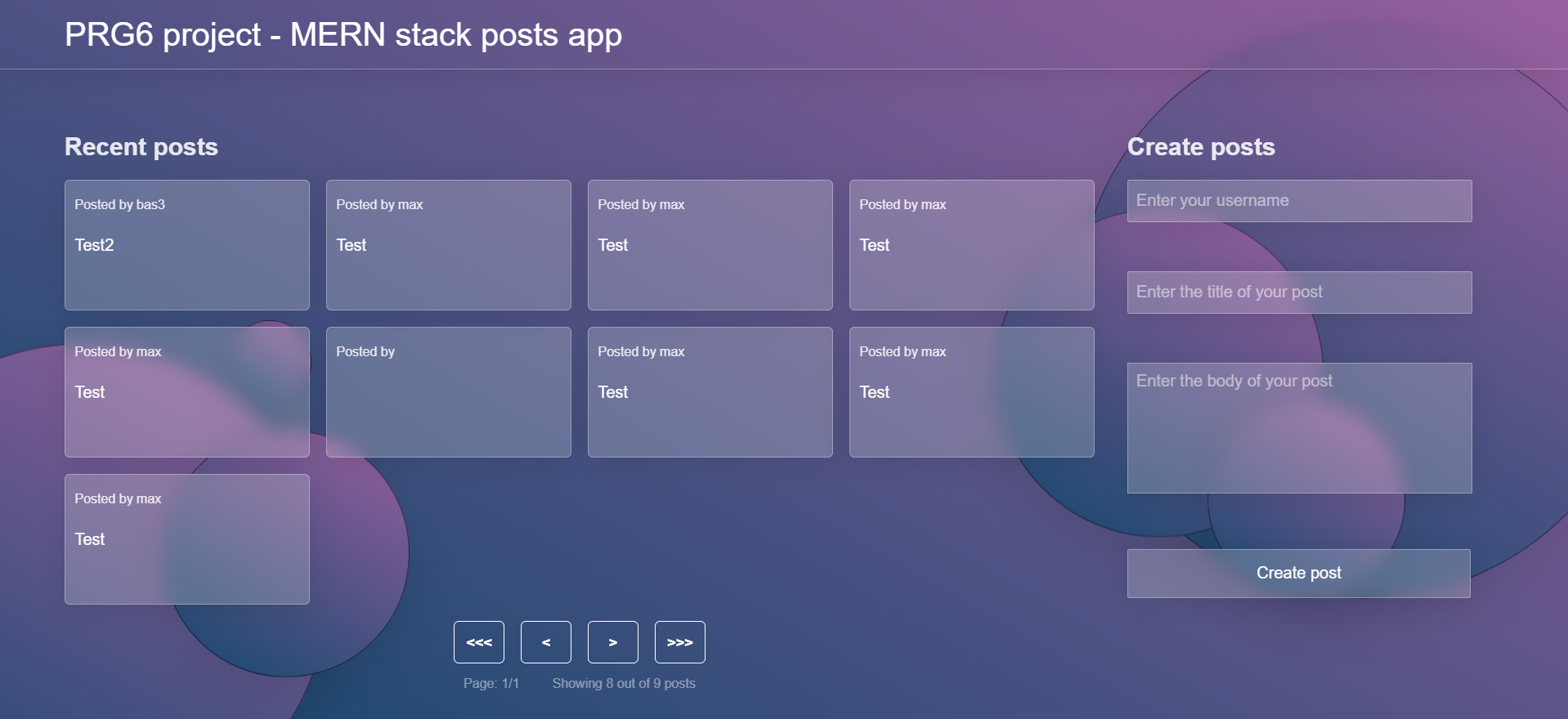
For a full explanation and visual demonstration of the web application, click here for the video.
For Programming 6 I was tasked with building a web application using the MERN tech stack. The MERN stack consists of MongoDB, Express.js, React.js and Node.js. The assignment had two parts: the backend and the frontend. What exactly you could post on your web application was up to you. I chose a free-form platform with “posts”. A post contains a username, title and description.
For the first part we were tasked with building a RESTful web server using Express.js, Node.js and MongoDB. For this we were given our own Ubuntu server (a VPS). In essence, the assignment was to build an API that complies with RESTful guidelines: the API had to be controlled with HTTP requests such as GET, POST, PUT and DELETE. The API also had to return the correct response codes such as 200: success, 404: not found, 500: server error, etc. The backend included:
- CRUD (Create, Read, Update, Delete)
- A connection to a MongoDB for storing the posts
- Pagination, loading a maximum of 12 posts per page
- Loading details per post (collection view and detail view)
For the second part of this course it was time for the frontend. This had to be built with React, a JavaScript framework. I also chose to combine React with TypeScript and Vite. TypeScript helps you make fewer “silly” mistakes by adding type checking to JavaScript. This helped me a lot while programming, because it made me think more carefully about which types go into which functions and which types come out. Vite helped me a great deal because it makes it easy to start a React + TypeScript project. It also includes a live server and a way to “build” your React project so it can be put online.
The frontend of this web application had to feature a user-friendly and professional-looking UI for interacting with the API we built in the first part of the assignment. React also had to be used extensively, among other things by using useState variables in combination with components. A few features of the frontend:
- A user-friendly and professional-looking UI built with pure CSS
- An overview page with a form to add posts
- A detail page where posts can be updated
- Navigation to move through the pages of posts
- Hover over a post to delete it
Tech Stack
MongoDB + Express.js + React.js + Node.js + TypeScript